- What is Power OCR?
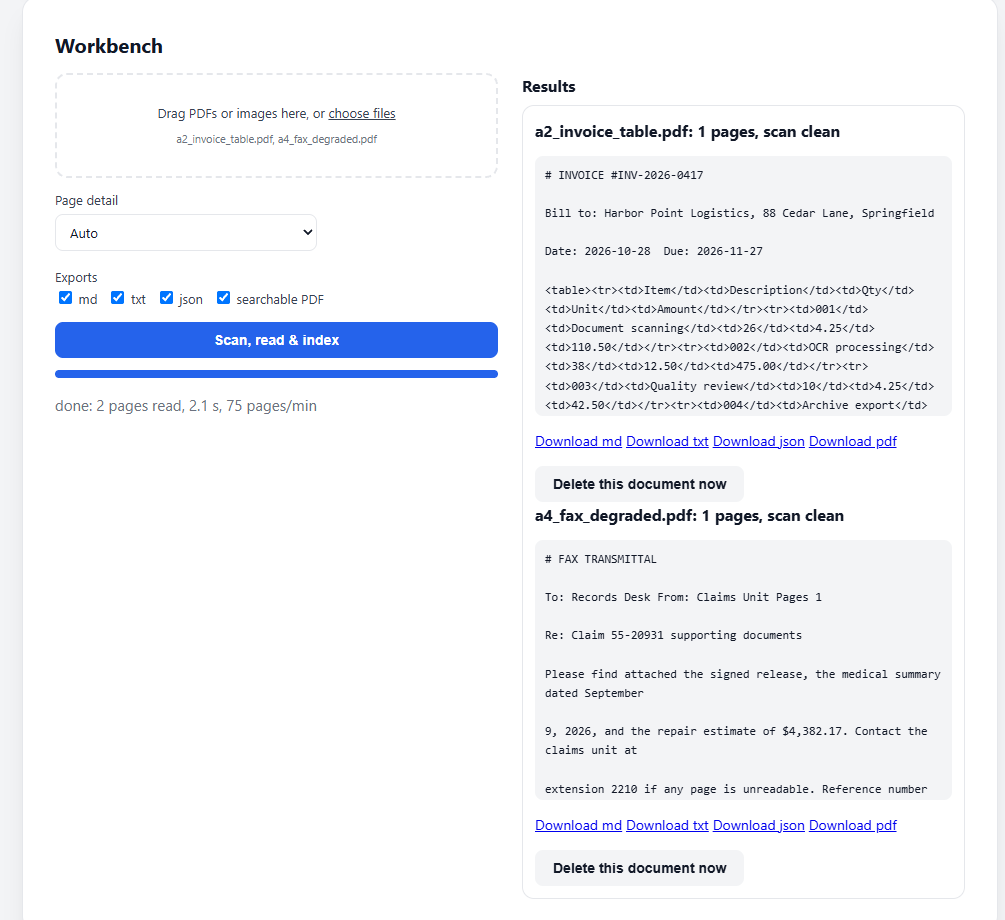
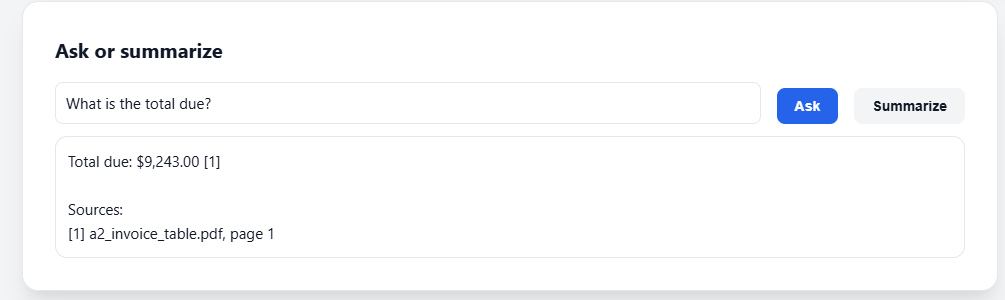
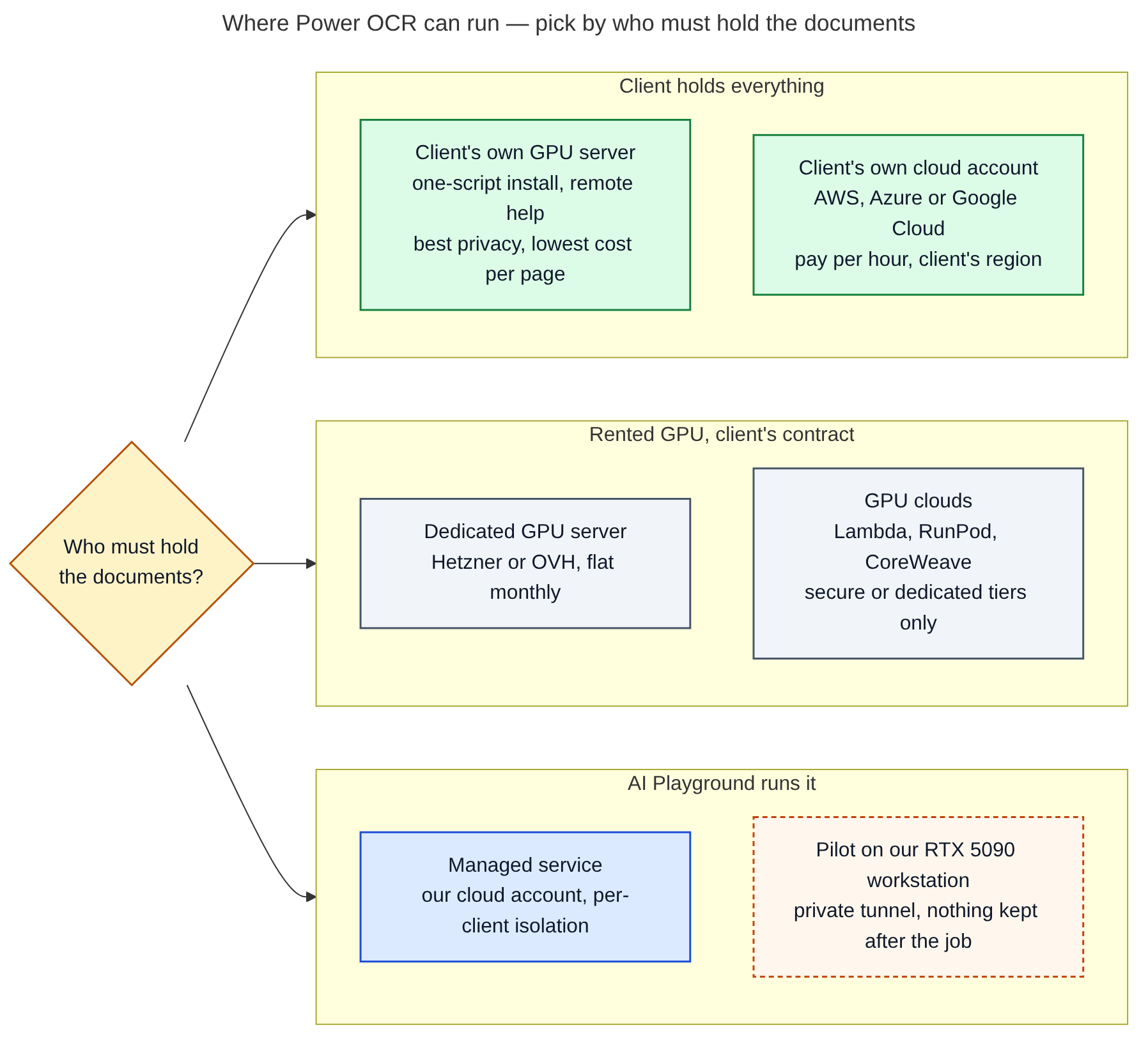
- Power OCR is private OCR software for offices. It turns scanned PDFs, faxes and photos of pages into searchable text, tables and searchable PDFs. Your staff can then search the documents or ask questions, and each answer cites the file and page it came from. It runs on one NVIDIA GPU in your office, or in your own cloud account.
- Can I use it on this website?
- Not yet. The app on this page is shown with its services switched off. Demo mode is a switch: we turn it on for a client's test on our private AI test server (RTX 5090), then off again. During a demo, your files are held on our server only for the test, in GPU memory and as temporary working files. When the demo ends, all of it is deleted and the model is unloaded. Once your files are processed, searching across all of them takes seconds. We collect no more data than we need to deliver the product. Email us to book one.
- Is Power OCR for PII and HIPAA data?
- It is built for teams with PII or HIPAA obligations. Power OCR is designed to run locally, on your own machine or in a cloud space you control, and it does not run through third-party AI companies. It is not HIPAA certified, and we make no compliance claim. Your own HIPAA program, agreements and controls still apply.
- How fast is it?
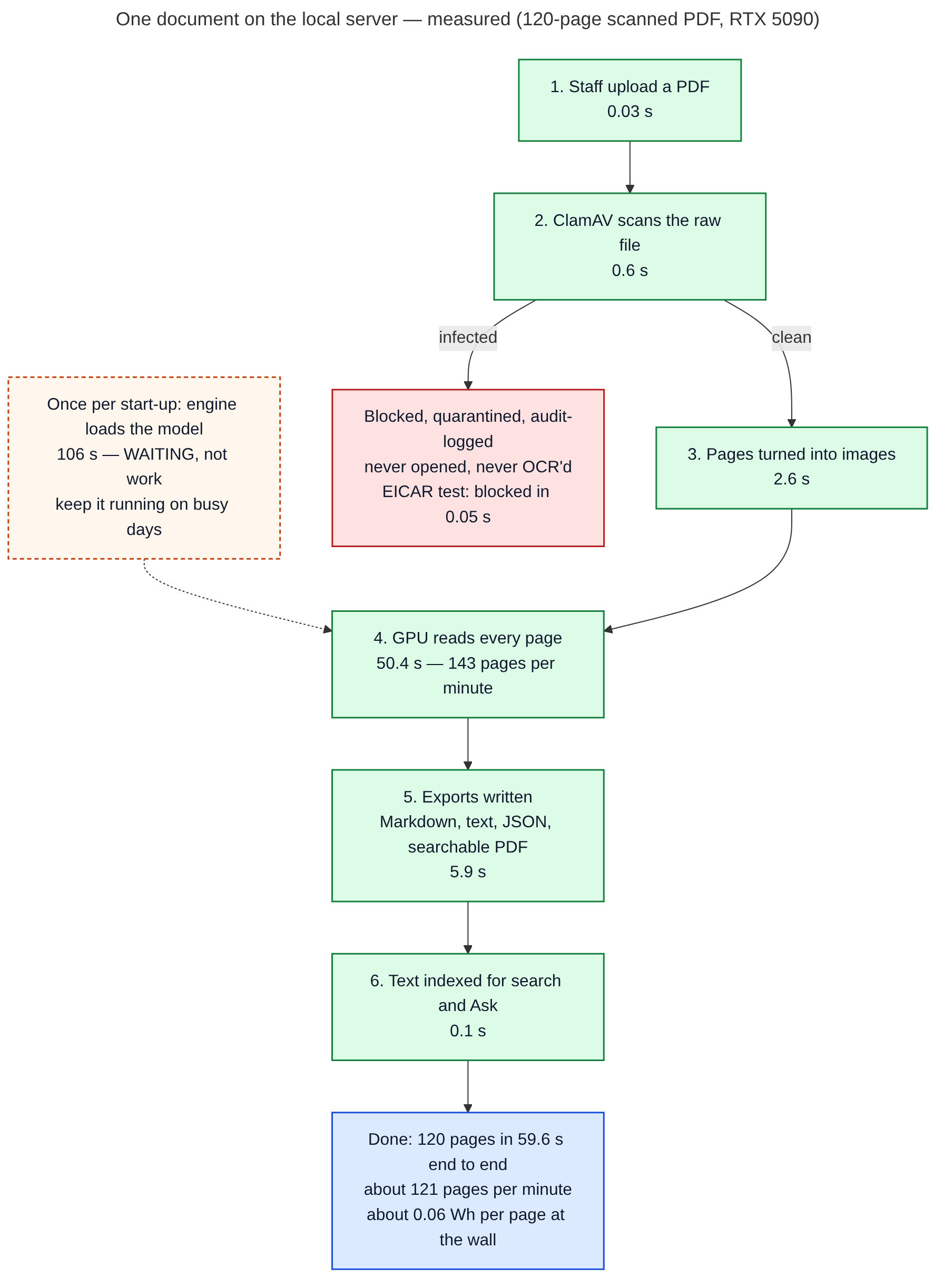
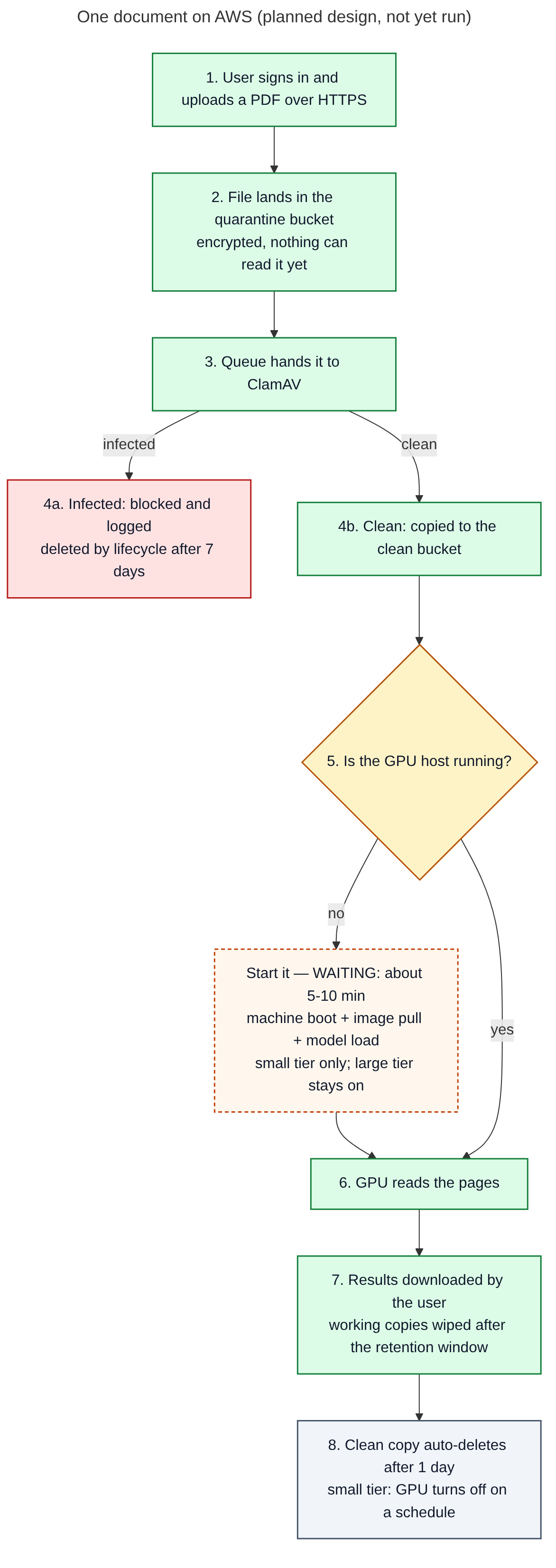
- On our private AI test server (one RTX 5090) we measured 121 pages a minute end to end on a 120-page job, and 78.4 pages a minute on 782 dense real court scans run as one document. The engine takes about 1.5 to 2 minutes to start from cold. A 500-page file takes roughly 4 to 7 minutes once the engine is warm. These are estimates from our runs, not a quote.
- How accurate is it?
- On six new test documents (a contract, an invoice table, a two-column page, a degraded fax, a typewriter memo and fine print), 99.4% to 100% of characters were read correctly. Very small print on dense product-label exhibits can be missed. We score your own sample documents during a pilot.
- Does it send my documents anywhere?
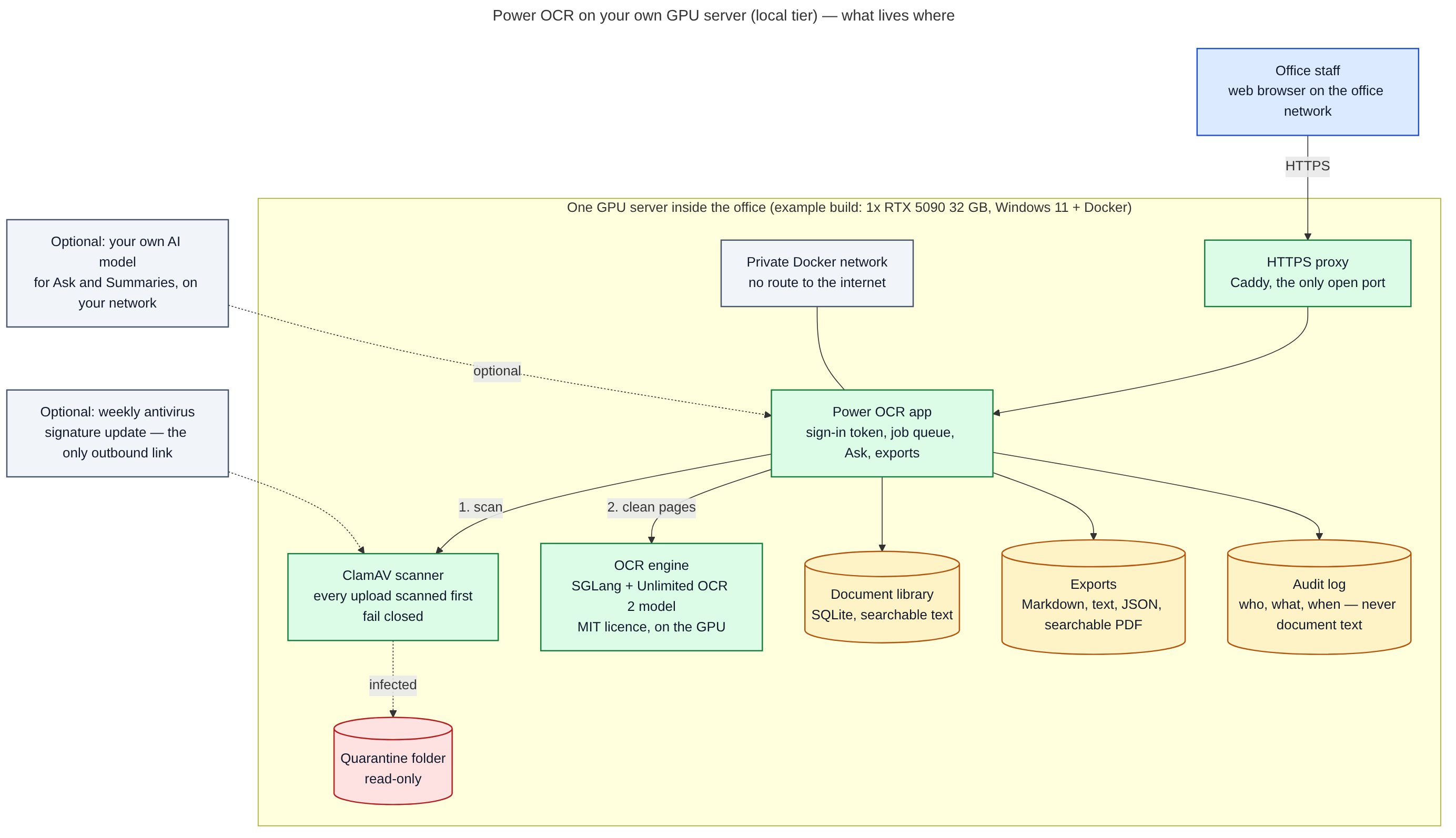
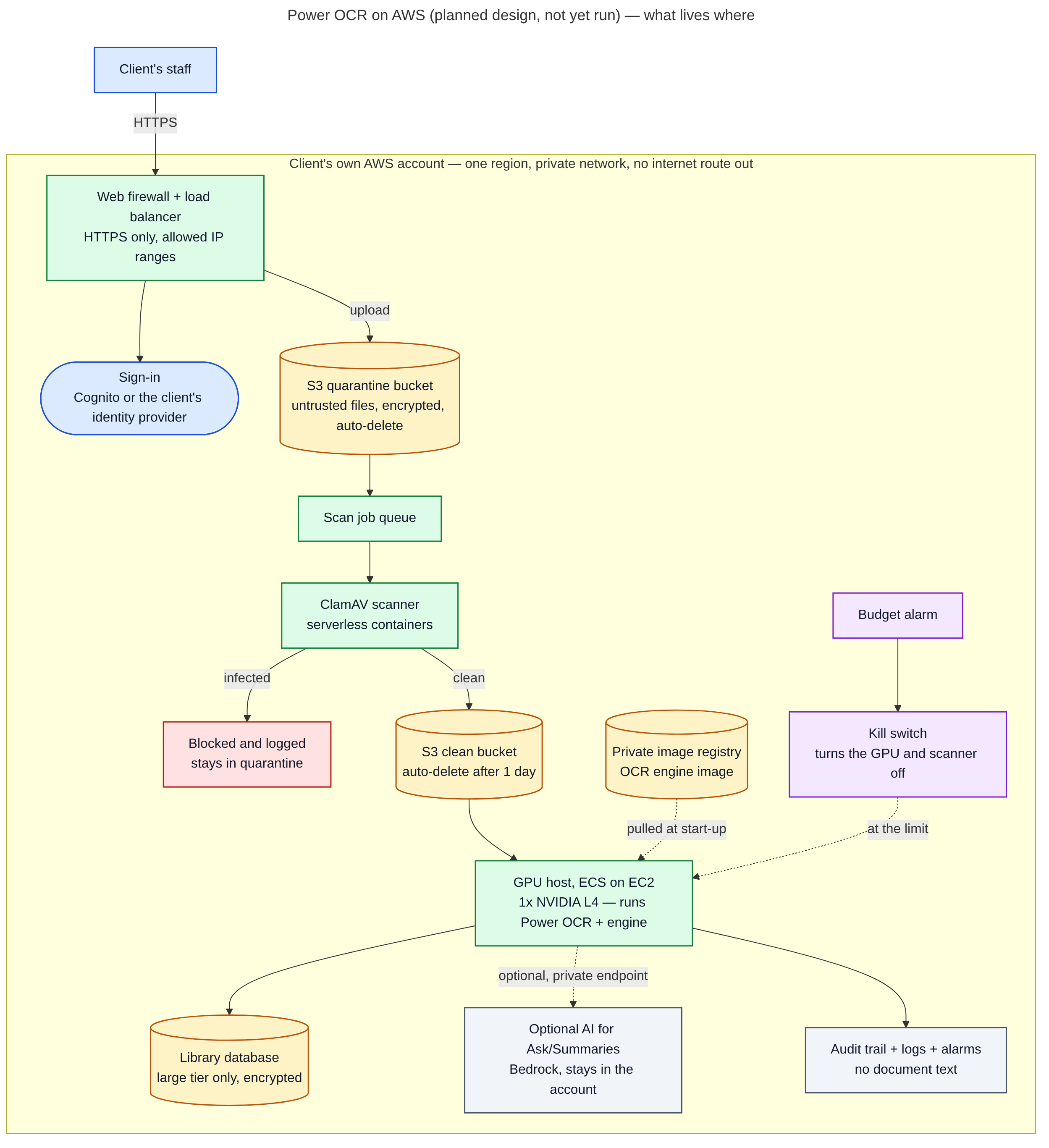
- No. We removed or switched off 17 risky pieces of the open-source original, including a remote-code auto-update, library telemetry and eval() calls on model output. In a monitored run on Nov 14, 2026, the app, OCR engine, virus scanner and proxy made 0 connection attempts to outside hosts.
- Which AI model does it use?
- Unlimited OCR 2, an open-source OCR model of about 3.3 billion parameters published by Baidu under the MIT licence. It is built on DeepSeek-OCR, which is also MIT. It runs locally on the SGLang engine (Apache-2.0) and uses about 10 GB of GPU memory. Ask and Summarize quote your documents directly. No chatbot is involved unless you add your own model. There is no AGPL code in the build; PDFs are rendered with pypdfium2.
- How do I know my demo files were deleted?
- When the demo ends, we delete every demo job's uploads, exports, database rows and search entries, and unload the model so its GPU memory is released. Each job gets a hash-chained deletion record listing the SHA-256 of each file received, everything deleted, and GPU memory before and after. It is a normal deletion, not a forensic disk erase.
- How do I get Power OCR set up, and what does support cost?
- Start with a free consultation. Then choose a one-time setup on your hardware or in your own cloud, with training, or a lower setup rate plus a monthly retainer that keeps us on call for AI/ML tech support. Prices are quoted after the consultation. Power OCR includes ClamAV (GPL-2.0, run unmodified as a separate component) and uses NVIDIA CUDA libraries under NVIDIA's own licence terms. For client installs we build it on your machine, and you accept those third-party terms.
- We have 10,000 pages or more. Do you connect to where our files already live?
- Yes. For large jobs, Power OCR connects read-only to your existing storage, such as SharePoint, an S3 bucket or a network share, or watches a drop folder you choose. Your originals stay where they are. Power OCR reads them and writes only its results.
- What hardware do I need?
- An NVIDIA GPU with at least 12 GB of memory (16 GB recommended), plus Docker. Our example build is one RTX 5090 workstation. A cloud version for your own AWS account is designed but has not been run yet. AWS gives scale over speed: we expect one AWS L4 GPU to be several times slower than our RTX 5090 (an estimate from the spec sheets, not a measurement), but you can run many at once.